Support Languages
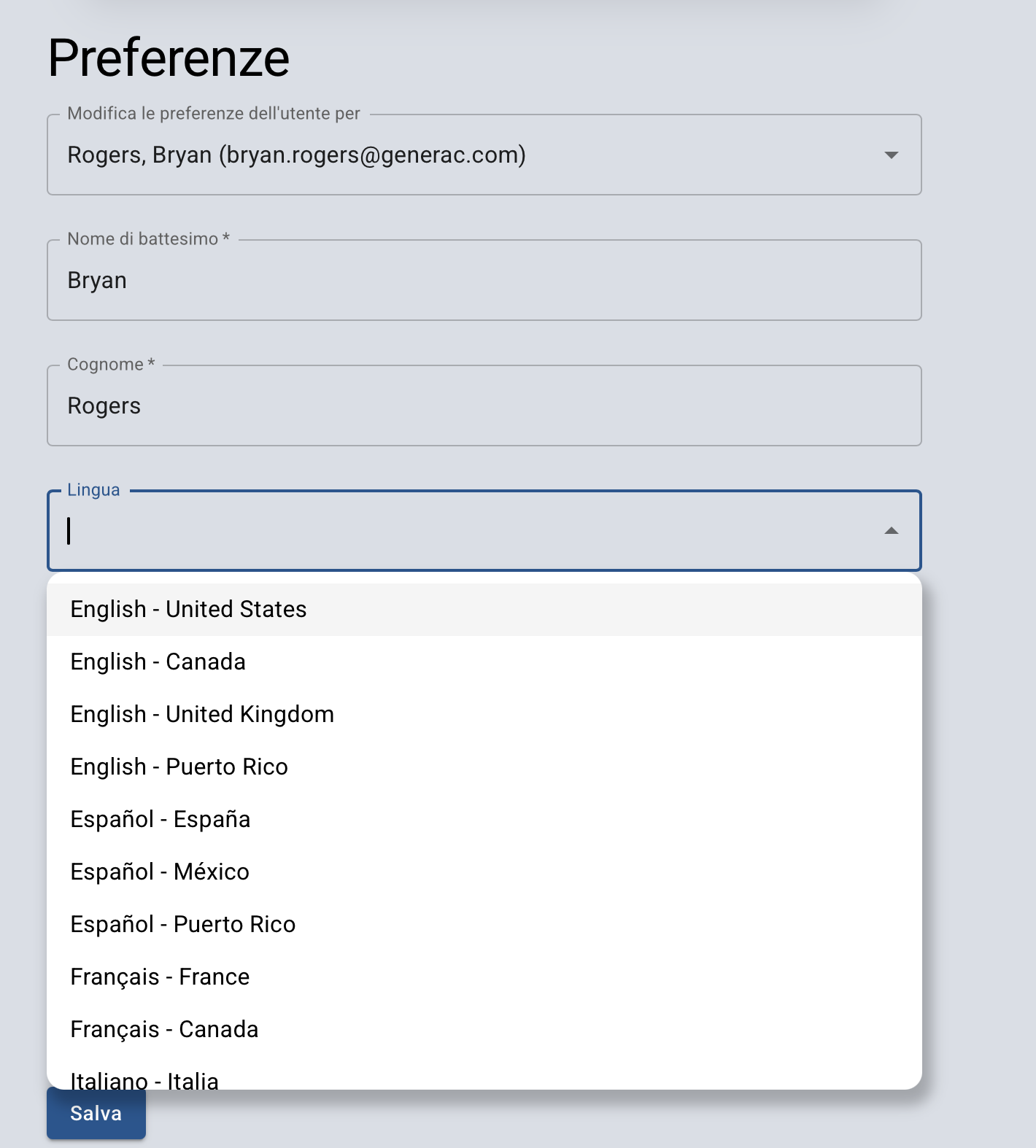
The platform can be localized into the below languages and localities:
-
English (US, Canada, UK)
-
Español (Spain, Mexico, Puerto Rico)
-
Français (France, Canada)
-
Italiano (Ialty)
-
Deutsch (Germany)
By default, the platform will use the language of the browser/device accessing the platform or English (US) if the device language is not supported
Updating Language via User Preferences
The preferred language can be updated in User Preferences by selecting “Language” and choosing an option in the dropdown. The selected option will be saved and will override any browser or device setting: